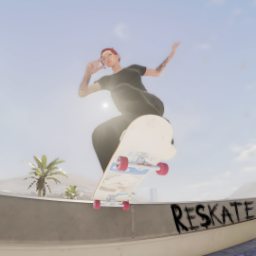
A custom physics trainer preset for ReSkate and clone my style at Skater XL.
Active Modes
- Hardcore
- Realistic
Features
Physics Tweaks
- Tuned jump heights (base, min, max)
- Custom sprint speed and boost
- Adjusted grind friction and lock distance
- Modified spin speed and body spin timing
- Wipeout thresholds fine-tuned for realistic falls
Installation
- Place the
trainer.jsonfile%localappdata%\ReSkatethen move or copytrainer.jsonto "trainer" folder. - Don't forget to backup your file or rename your original file (trainer.json.bak)
- Launch the game and load the preset from the trainer menu.
Notes
- All frozen values are locked and will not be overridden by in-game settings.
- Compatible with Skate version 2.1.2 and above.
Happy Skate!
Install Trainer
You need ReSkate and your own copy of skate. on Steam.
- Open
ReSkateLauncher.exeand go to MODS. - Search for Trainer and click install. The launcher also installs anything it depends on.
- Press PLAY. In game, the MODS tab of the ReSkate menu (Insert) turns it on and off.
Or install it by hand: download the .zip and drop it on the launcher window, or unzip it into its own folder in Mods\ beside Skate.exe.
Maps show up in the ReSkate menu's level list. To join a server running a custom map, you need the same map installed. If the game won't load after installing, see known issues.
skatemods doesn't host or review this mod. The download comes straight from Thunderstore. Only install mods you trust, because scripts can run code.