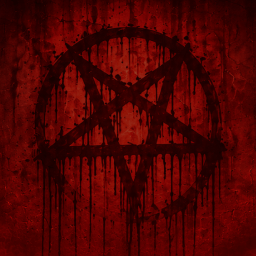
A custom UI theme featuring atmospheric backgrounds, dark visuals, and a crimson color scheme.
Features
- Custom menu and character customization backgrounds
- Updated UI colors
- Darker visual styling
Work in Progress
Infernal UI is still in development. This initial release establishes the foundation for the theme, with additional visual changes and refinements planned for future updates.
Compatibility
Other UI mods that modify the same assets may conflict with Infernal UI. Load order determines which replacements take priority.
Install Infernal UI
You need ReSkate and your own copy of skate. on Steam.
- Open
ReSkateLauncher.exeand go to MODS. - Search for Infernal UI and click install. The launcher also installs anything it depends on.
- Press PLAY. In game, the MODS tab of the ReSkate menu (Insert) turns it on and off.
Or install it by hand: download the .zip and drop it on the launcher window, or unzip it into its own folder in Mods\ beside Skate.exe.
Maps show up in the ReSkate menu's level list. To join a server running a custom map, you need the same map installed. If the game won't load after installing, see known issues.
skatemods doesn't host or review this mod. The download comes straight from Thunderstore. Only install mods you trust, because scripts can run code.