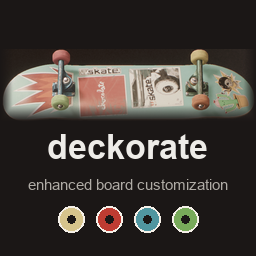
Board customization for skate. under ReSkate: a different wheel for each of the four wheels, a different front and back truck, and up to seven stickers on the bottom of the deck that you can place anywhere. It also includes inkd (four tattoo slots on each arm and leg instead of one) and the light objects (spot, beam and bulb lights for the object dropper). deckorate was called mixNmatch up to 1.2.0.
What it adds
- Wheel 1 - Wheel 4 and Truck 1 - Truck 2 tabs on the board page. Each wheel and truck has its own slot. Wheel 2-4 follow Wheel 1 and Truck 2 follows Truck 1 while they are empty, so a board looks the same as before until you change one. On the skater page the Board tile shows the deck, grip and both trucks on its top row and the four wheels on its bottom row. Truck 1 and Truck 2 can be different models.
- A Stickers tile on the skater page (under Tattoos) that opens a page with
seven sticker tabs. The tile shows which of the seven slots are in use.
- Every sticker starts in the middle of the deck. Press Adjust to move, resize and rotate it, like a tattoo.
- The Vibrancy / Wear slider sets how worn the sticker looks: the middle matches the board's own wear, all the way right is brand new, all the way left is scuffed. (On tattoos the same slider is still vibrancy.)
- The board page no longer has sticker tabs.
- Four tattoos per arm and leg (inkd): the Tattoos page has Left Arm 2-4, Right Arm 2-4, Right Leg 2-4 and Left Leg 2-4 next to the stock tabs. Each extra tattoo has its own Adjust values, and tattoos in higher slots are drawn on top of lower ones.
- Lights for the object dropper: categories bkLightSpot, bkLightBeam and bkLightBulb, each in six colours (warm, cool, red, green, blue, purple) and four intensities (10, 25, 50, 100 %). A spot shines down like a streetlight, a beam is a narrow spot that reaches further, a bulb lights all around. The light itself is invisible; a small grey cube marks where it is, shown only when the camera is close. The lights need ReSkate's option to unlock objects.
Any wheel, truck or sticker item works, including ones added by other mods. It works in the main world, the other stock areas and on custom maps.
Install
Install it like any other mod (launcher MODS page, or drop the folder into
Mods) and start the game. ReSkate 2.0.4 or newer is recommended (1.1.2 is
the minimum): from 1.1.2 ReSkate loads a saved skater whose outfit has more or
fewer slots than the game expects, and from 2.0.4 it shows other players' outfits
across such differences, which is what this mod makes. New slots start empty on
skaters saved before the mod, and your picks stay in the profile while the mod is
switched off, so you can toggle it freely.
Good to know
- Do not enable inkd or Light_Objects as well: deckorate already contains both. The separate mods are for players who want only those parts; with both on, one replaces the other's changes.
- Extra tattoos on custom maps: custom maps run the game's own tattoo script, so there only the first tattoo of each arm and leg shows (the extra ones are kept in the outfit and show again in the stock areas).
- Multiplayer: with ReSkate 2.0.4 or newer, players without deckorate see your skater and board (with the stock wheels and trucks on all four corners and no stickers), and you see theirs with their stock stickers. Players with deckorate see each other's wheels, trucks and stickers, also when several players spawn in the same instant. On ReSkate older than 2.0.4, a player with a different slot layout looks like a copy of you.
- Stickers and files: the stickers live in the skater's outfit and reach
the board through a small record file in the game's
logsfolder (or the game folder, or the system temp folder):deckorate-skaters.txt. It is cut down as it grows; deleting it does no harm. - Board-shape mods: mods that replace the stock wheel, truck or deck mesh (wider trucks, egg shapes) work alongside deckorate in any load order. A board whose wheels all match and whose two trucks match is built from the shape mod's meshes. A board with mixed wheels or trucks uses deckorate's own copies: in the shape of widemod-WideDeck12 or aescher-OldSchool_Board_Shape for the default truck and the wheels while one of those is enabled, otherwise in the stock shape. A truck added by another mod has no such copies: a board that uses one shows Truck 1 on both ends.
- Game build: made for the Steam build ReSkate 2.0 supports. ReSkate leaves the mod out after a game update until it is rebuilt.
- Other mods: works alongside item, deck and map mods. A mod that replaces the board loader script, the board sticker compositor, the tattoo compositor, the customization menu data or the quick-drop item list will conflict with it.
- Camera: Wheel 3, Wheel 4 and Truck 2 use the whole-board view.
How it works
The board gets more recipe slots and the board menu a tab per slot; split copies of the wheel and truck meshes (and front-only and back-only copies of each truck) are added beside the game's own, each with mesh data of its own, and the board loader script picks the ones that fit. The sticker slots live in the skater's recipe (where the tattoo Adjust sliders reach them); the tattoo compositor script writes a record of them every time a skater is drawn, and the board's sticker compositor script pairs each board with its skater's record: the player's board with the player's skater (the game marks both as the main character), every other board with the skater the game created just before it (their engine ids are handed to the scripts). It draws the stickers by the texture name added to every sticker item. The extra tattoo slots are copies of each limb's stock slot. The lights are build-kit items whose prefab spawns one of the game's light blueprints next to a small marker mesh. No game code is changed.
Install deckorate
You need ReSkate and your own copy of skate. on Steam.
- Open
ReSkateLauncher.exeand go to MODS. - Search for deckorate and click install. The launcher also installs anything it depends on.
- Press PLAY. In game, the MODS tab of the ReSkate menu (Insert) turns it on and off.
Or install it by hand: download the .zip and drop it on the launcher window, or unzip it into its own folder in Mods\ beside Skate.exe.
Maps show up in the ReSkate menu's level list. To join a server running a custom map, you need the same map installed. If the game won't load after installing, see known issues.
skatemods doesn't host or review this mod. The download comes straight from Thunderstore. Only install mods you trust, because scripts can run code.