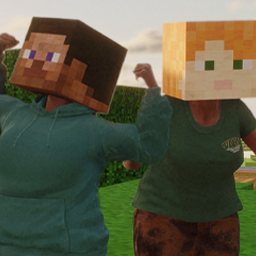
Minecraft.
Yeah. It's just Alex and Steve heads from Minecraft. Not much more to it. Made primarily for my Mod Guide in the ReSkate Discord.
Install via the launcher or just drag the zip into the launcher. Nothing fancy. It's just a regular ol' mod.
Mod by azzie (.snowgrave.)
Install Minecraft Blockheads
You need ReSkate and your own copy of skate. on Steam.
- Open
ReSkateLauncher.exeand go to MODS. - Search for Minecraft Blockheads and click install. The launcher also installs anything it depends on.
- Press PLAY. In game, the MODS tab of the ReSkate menu (Insert) turns it on and off.
Or install it by hand: download the .zip and drop it on the launcher window, or unzip it into its own folder in Mods\ beside Skate.exe.
Maps show up in the ReSkate menu's level list. To join a server running a custom map, you need the same map installed. If the game won't load after installing, see known issues.
skatemods doesn't host or review this mod. The download comes straight from Thunderstore. Only install mods you trust, because scripts can run code.