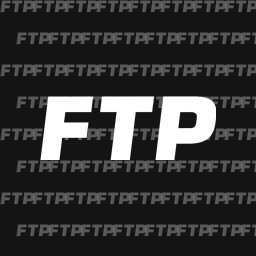
Black chino trousers covered in an all-over white FTP print.
- Small FTP logos on staggered rows, front and back
- Legs and seat printed; narrow waistband, belt loops and both rolled cuffs left plain
- Base mesh, fit, stitching, pockets and button are the game's own
Install
Extract the FTP_Chino_Print folder into your ReSkate mods folder:
<ReSkate>\Mods\FTP_Chino_Print\
The default location is:
C:\Games\Skate\Mods\
Launch ReSkate and the mod is picked up automatically. To equip it, open the character's clothing and select the chinos on the bottom slot.
If it does not show up, open the Mods tab in ReSkate Studio and make sure FTP_Chino_Print is ticked in the load order.
Uninstall
Delete the FTP_Chino_Print folder from Mods\ and relaunch.
Notes
Built with ReSkate Studio from the native Own_BottomPants_Gen_ChinoLoose_00008 cosmetic. Only the base colour and normal textures are replaced, so the garment keeps its original fit and will layer normally with whatever bottoms you have equipped.
The print is placed against the trousers' measured UV layout: logos are kept clear of the waistband, belt loops, button and both cuffs, and are never split across a UV seam, so every logo reads complete from any angle.
Install FTP Chino Print
You need ReSkate and your own copy of skate. on Steam.
- Open
ReSkateLauncher.exeand go to MODS. - Search for FTP Chino Print and click install. The launcher also installs anything it depends on.
- Press PLAY. In game, the MODS tab of the ReSkate menu (Insert) turns it on and off.
Or install it by hand: download the .zip and drop it on the launcher window, or unzip it into its own folder in Mods\ beside Skate.exe.
Maps show up in the ReSkate menu's level list. To join a server running a custom map, you need the same map installed. If the game won't load after installing, see known issues.
skatemods doesn't host or review this mod. The download comes straight from Thunderstore. Only install mods you trust, because scripts can run code.