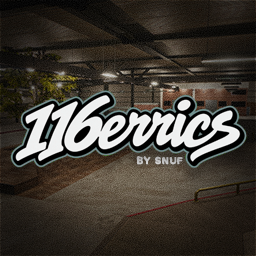
116errics, brought to ReSkate from the original Skater XL map by DH13.
What's Changed
Scaled the park to fit with ReSkate.
Reworked indoor lighting, including illuminated signs, ceiling fixtures, and additional lighting beneath the canopy.
Added a detailed chill area with a brown couch, cream Persian carpet, skateboards, plants, and other props.
Added manual grind curves and assigned grinding sounds to match the surfaces.
Adjusted the chain-link fence height and corrected its green texture tint.
Fixed texture mapping.
Optimized textures and selected props to reduce package size and rendering load.
Install
Unzip the package and place the 116errics folder inside your Skate installation’s Mods folder. Restart ReSkate, then select 116errics from the custom map menu.
Feedback
Found a bug or a spot that grinds incorrectly? Feel free to DM 5noof on Discord.
Credits
- Original map: https://mod.io/g/skaterxl/m/116errics
- ReSkate conversion: snuf
Install 116errics
You need ReSkate and your own copy of skate. on Steam.
- Open
ReSkateLauncher.exeand go to MODS. - Search for 116errics and click install. The launcher also installs anything it depends on.
- Press PLAY. In game, the MODS tab of the ReSkate menu (Insert) turns it on and off.
Or install it by hand: download the .zip and drop it on the launcher window, or unzip it into its own folder in Mods\ beside Skate.exe.
Maps show up in the ReSkate menu's level list. To join a server running a custom map, you need the same map installed. If the game won't load after installing, see known issues.
skatemods doesn't host or review this mod. The download comes straight from Thunderstore. Only install mods you trust, because scripts can run code.