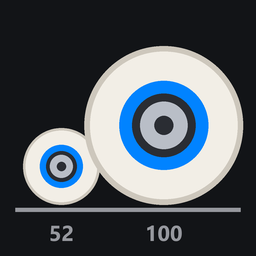
Pick how big your wheels are, from 40 mm to 110 mm. The game's own are 58 mm.
- The wheels are drawn that size and still spin as you roll.
- Common sizes or any size. Pick a common size (50 mm street up to 100 mm), or drag the slider anywhere from 40 to 110 mm.
- Width. It scales with the size to start with, so a wheel twice as tall is twice as wide. Switch that off to set the width yourself, 20 to 70 mm, or pick a quick width: the game's (32 mm), halfway to in proportion, or in proportion.
- You stand on them. On big wheels the board and your skater are drawn higher. On small ones they're drawn lower. Either way the wheels stand on the ground. The game's physics keeps its own wheels; only what you see changes.
When a wheel meets the deck
Small wheels turn more and big wheels less, the way their size would let them. Lean hard on big wheels and they reach the deck. Pick what happens then:
| Choice | What it does |
|---|---|
| Clip through | the wheels pass through the deck, and big wheels turn as freely as the game's |
| Limit turning (default) | the trucks stop leaning where the wheels meet the deck, so the bigger the wheels the less you turn, like big wheels without risers |
| Wheel bite | you turn as Limit turning does, and while a wheel rubs the deck it slows you down: light, like real life, or harsh. With Hard bites throw you on, a deep bite at speed stops the board and you go down |
How much of the game's steering you get (the page shows it as Turning):
| Wheel | 40 mm | 46 mm | 52 mm | 58 mm | 65 mm | 70 mm | 80 mm | 90 mm | 100 mm and up |
|---|---|---|---|---|---|---|---|---|---|
| Limit turning, Wheel bite | 145% | 126% | 112% | 100% | 86% | 76% | 58% | 40% | 25% |
| Clip through | 145% | 126% | 112% | 100% | 100% | 100% | 100% | 100% | 100% |
The game's own wheels lean about 15° on a hard carve and only just clear the deck.
Settings
In the menu's PLUGINS section, under Wheel Size:
| Setting | Choices |
|---|---|
| Wheel Size | on or off |
| Wheel size | 40 to 110 mm, or a common size |
| Width scales with the size | on (default), or off to set the width: 20 to 70 mm, or a quick width |
| Stand on the wheels | on (default): the wheels stand on the ground. Off: the board stays at the game's height |
| Deck contact | clip through, limit turning (default) or wheel bite |
| Bite, Hard bites throw you | how hard a bite slows you, and whether a deep one bails you (wheel bite only) |
Your settings are kept between sessions.
Console
| Command | What it does |
|---|---|
wheels |
shows the size, width, ride height, deck setting and steering |
wheels 70 |
sets the size in mm |
wheels width 45 / wheels width scale |
sets the width in mm, or scales it with the size |
wheels on / wheels off |
turns it on or off |
wheels ride on / wheels ride off |
stand on the wheels, or keep the game's height |
wheels clip / wheels limit / wheels bite |
what happens when a wheel meets the deck |
wheels test |
runs the plugin's own checks |
Good to know
- On the map the game starts in, or after loading a map from ReSkate's MAP page, your wheels can stay the game's size. If that happens, the page and a message say so: load a different map from the game's pause menu. ReSkate's MAP page, or loading the same map again, doesn't help.
- You see your wheel size, in your replays too. Other players see your board with the game's wheels.
Multiplayer
Not tested in multiplayer yet. What to expect:
- Your wheel size isn't sent to other players, so they see the game's wheels on your board, even if they have Wheel Size too. Each player sees only their own size.
- The steering stays the game's (players share their physics), and wheel bite doesn't slow you. The wheels still stop at the deck on your screen.
Known issues
- On a hard landing with wheels far from the game's size, your feet can dip into the deck for a moment: the board's height is drawn a frame behind the animation.
- With Hard bites throw you on, a bite while rolling backwards (after a 180) bails you forward, not the way you're rolling. A plugin can't choose which way you fall.
- On the map the game starts in, or after a map loaded from ReSkate's MAP page, the wheels can stay the game's size until you load a different map from the game's pause menu (see above).
What you need
ReSkate 2.1.3 or newer (it has reskate.board.scale, which draws the wheels at your size). On an older ReSkate the page says to update ReSkate, and the plugin changes nothing. The first time it runs, ReSkate asks you to approve it.
It's a sandboxed ReSkate plugin (the plugin folder, no DLL). It:
- sizes your board's wheels and draws the board and your skater higher on big wheels and lower on small ones
- turns the game's steering down (big wheels) or up (small wheels) in your own physics
- slows you, or bails you, for wheel bite
- adds its page to the menu, a console command and a message when it needs another map
- saves its settings
Nothing else.
Install
Install with the mod manager. To install by hand, extract the zip into its own folder inside Skate\Mods.
Install Wheel Size
You need ReSkate and your own copy of skate. on Steam.
- Open
ReSkateLauncher.exeand go to MODS. - Search for Wheel Size and click install. The launcher also installs anything it depends on.
- Press PLAY. In game, the MODS tab of the ReSkate menu (Insert) turns it on and off.
Or install it by hand: download the .zip and drop it on the launcher window, or unzip it into its own folder in Mods\ beside Skate.exe.
Maps show up in the ReSkate menu's level list. To join a server running a custom map, you need the same map installed. If the game won't load after installing, see known issues.
skatemods doesn't host or review this mod. The download comes straight from Thunderstore. Only install mods you trust, because scripts can run code.